How to Find Related Notices, the History of a Notice, and the Award Information
Quickly view related notices, such as Prior Information Notices, corrections and subsequent contract awards
Quickly view related notices, such as Prior Information Notices, corrections and subsequent contract awards
When viewing a notice, it is often useful to understand which other notices have been issued in relation to this procurement.
The Notice History helps you answer questions such as
- Was there a Prior Information Notice issued in relation to this notice?
- Has any corrigendum (correction/update notices) been issued after the publication of this notice?
- Who won this procurement?
- Has there been any other notices issued, in relation to this notice, after it was awarded?
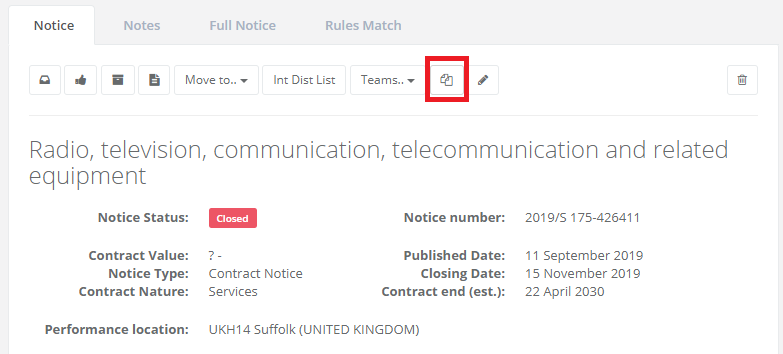
To view the history of a notice, simply click on the Notice History icon (see below).
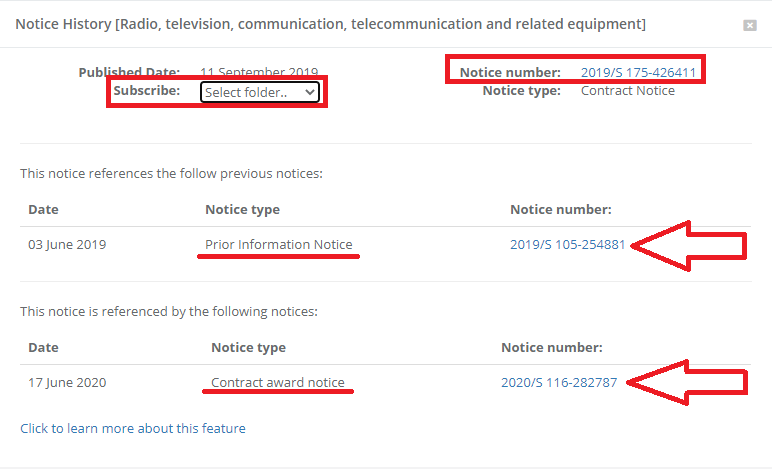
The notice history is now shown and displayed in such a manner that it is easy to view the related notices.
In the example below, the Contract Notice has a Prior Information Notice and a Contract Award as related notices.
Simply click on the notice numbers to view the notice in question.
To be notified when there is an update relating to this notice, simply select a folder to receive the new notices in.
Subscribing to future notices, that references a notice is an easy way to be sure that you are notified when there are updates, corrections or when a contract award is issued in relation to a notice.
To return to the original document, click the Notice Number at the top of the box.
To close the Notice History box, click the “x” in the top right corner.