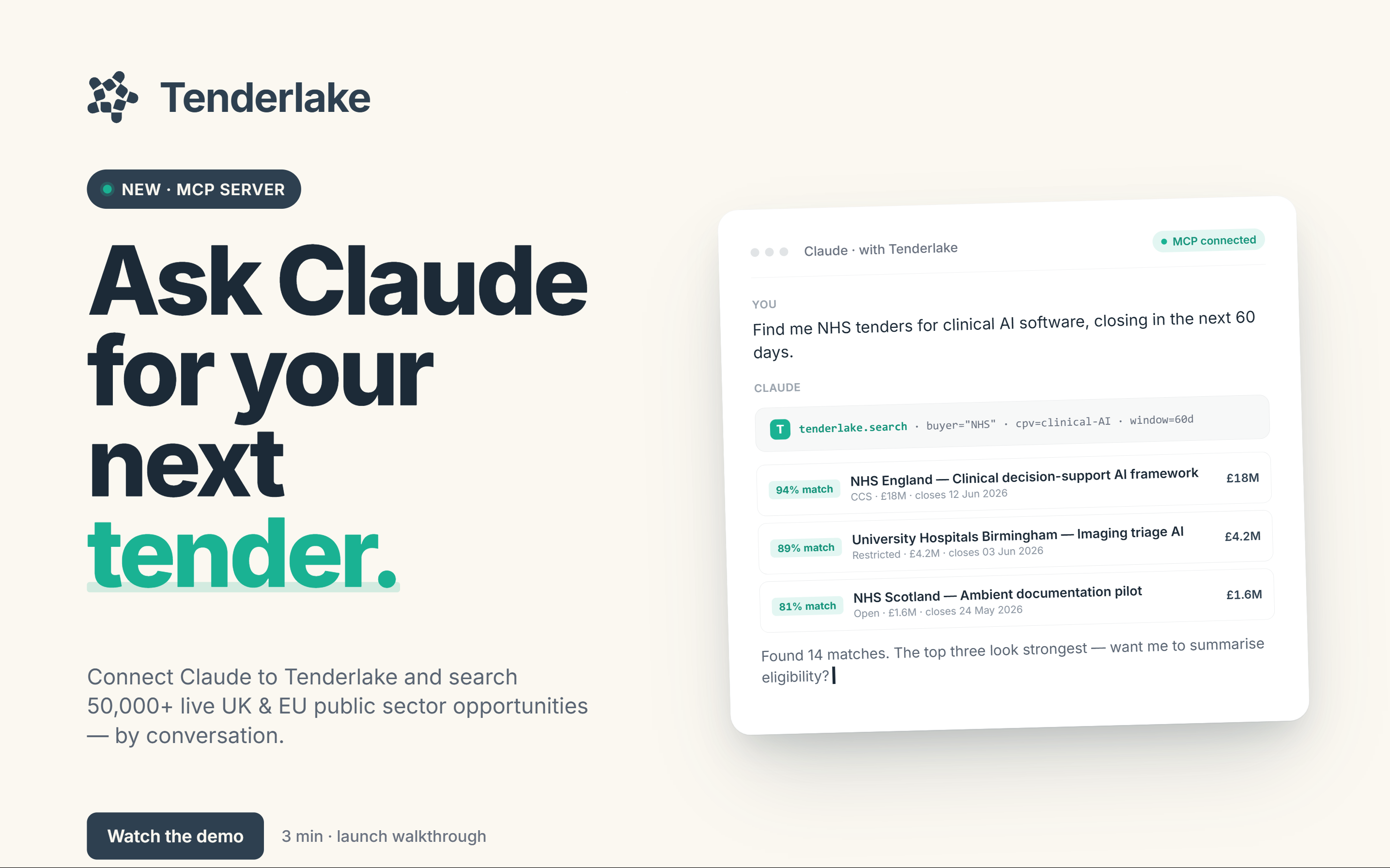
Talk to Tenderlake: introducing the Claude.ai connector
A new MCP connector lets you query your Tenderlake workgroup in plain English from Claude.ai. No exports, just ask.
A new MCP connector lets you query your Tenderlake workgroup in plain English from Claude.ai. No exports, just ask.
Follow Tenderlake on LinkedIn for concise insights on public-sector tenders and emerging procurement signals.
Updated 7 October 2026.
We've shipped something we've been quietly excited about for a while: a way to talk to your Tenderlake workgroup in plain English, from inside Claude.ai.
Once the connector is live in your Claude.ai account, the kinds of questions that work today look like this:
Behind the scenes, Claude is calling a coherent set of Tenderlake tools, folders, AI Searches, Demand Signals, the recent-notices feed, full notice details, and stitching the results into a plain-English answer. You get synthesis, not just rows: comparison across notices, summarisation across folders, and follow-up questions that build on what came before.
The connector authenticates via OAuth using your Tenderlake login. That means all your permissions, workgroup boundaries, and audit trails are exactly as they were; nothing is bypassed, nothing is duplicated. The connection refreshes itself silently in the background; you'll only need to reauthorise if you leave it idle for more than 90 days.
Three things, mainly.
Zero learning curve. Anyone in your organisation who can write an email can now query Tenderlake. They don't need to learn the UI, remember which filter is on which screen, or know how AI Searches differ from Demand Signals. They just ask.
Conversational synthesis. Claude doesn't only fetch data, it reads across it. Ask it to compare two tenders, summarise a buyer's recent activity, or pick out the notices most relevant to a specific capability, and you get a written answer rather than a results list.
Same data, new surface. Nothing about your Tenderlake data, scoring, or matching changes. This is the workgroup your team already trusts, exposed through a chat interface for the moments when chat is the right tool for the job.
If you're an existing Tenderlake customer, your Tenderlake Admin gives you access. The connection steps are in Tenderlake: open AI Assistants in the main menu and choose Connect your AI Assistant.
Once you have access, add Tenderlake from Claude's connectors directory: claude.ai/directory/connectors/tenderlake.
Follow Tenderlake on LinkedIn for concise insights on public-sector tenders and emerging procurement signals.