Tenderlake makes it easy to automatically distribute procurement notices to stakeholders throughout the organisation.
However, when hundreds of people, working from different locations and/or in different teams receive procurement notices, several recipients may be interested in pursuing a bid; and at the same time being unaware of the interest of their colleagues.
This represents several challenges.
First, if several people in the same organisation start pursuing the same bid in an uncoordinated fashion, they are likely to waste both time and resources.
Second, if different functional teams are pursuing the same bid, it can (in the best case) lead to a waste of time and resources, but potentially also lead them to both submit a bid. In many cases this will lead to both bids being disqualified.
Third, different teams or individuals may dismiss pursing a bid because they do not meet all the requirements themselves, unaware that if they combined forces with those throughout the organisation who are interested in the opportunity, they could jointly meet the requirements.
Of course, these challenges can be mitigated manually, especially by someone with long experience in the organisation. But it doesn’t have to be cumbersome, inefficient or rely on tacit knowledge built up over decades.
With Tenderlake all stakeholders, who are interested in potentially pursuing a particular bid, are automatically notified when someone inside their organisation, aside themselves, is interested.
Furthermore, a central bid support team can easily keep an eye on who is interested.
Finally, should someone who has expressed interest in a bid change their mind, they can signal this with two clicks.
All this makes coordination a breeze and no time, effort or resources needs to be wasted. Not locally with individual stakeholders, nor centrally with the central bid support team.
Step-by-Step Guide
To start using Bid Interest Coordination, first setup notice distribution via email.
When configuring the folder settings (under Distribution -> Folder Settings), select “Yes” under Bid Interest Link and press the Save button. This will include a link under each notice in the daily containing the notices from the selected folder. (see below)
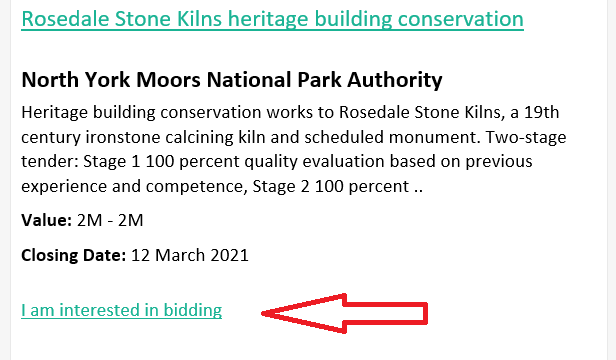
When a user clicks on this link, they are taken to a page where they confirms their interest in bidding the procurement.
Once the interest is confirmed, a mail is sent to the user, confirming that their interest has been acknowledged. The email also contains a link that can be clicked to indicate that they are no longer interested.
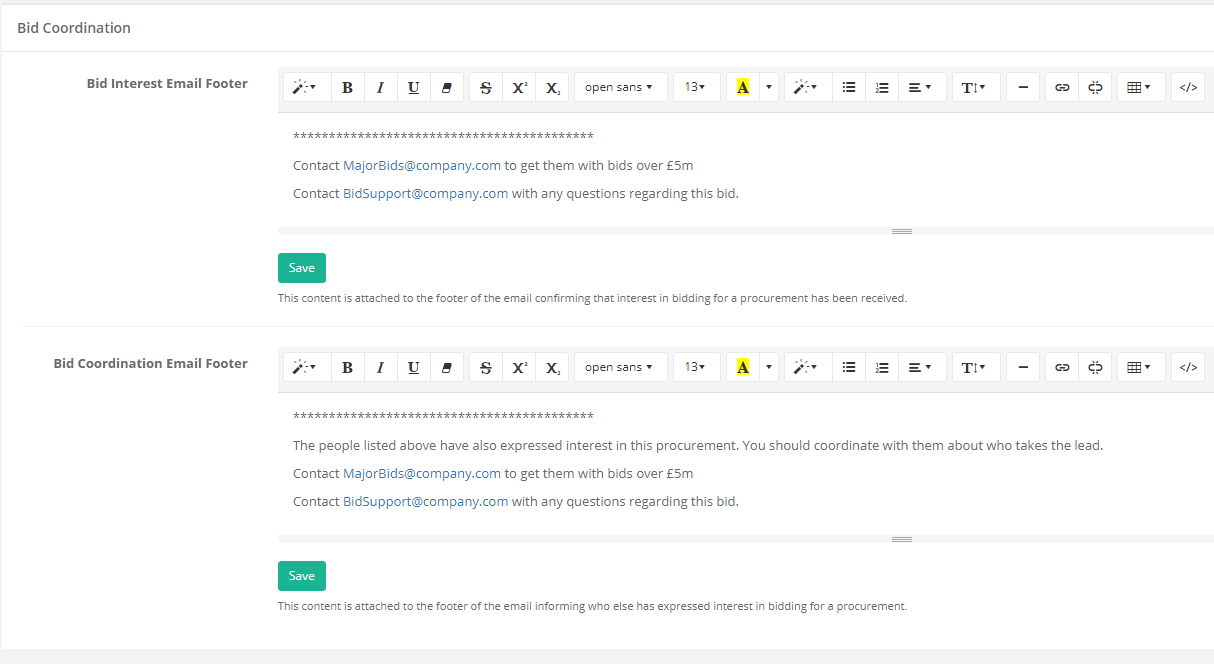
Now, navigate to Distribution -> Bid Interest Email where you can configure two email footers.
The first footer is attached to a confirmation email, that is sent to anyone expressing an interest in bidding for the procurement.
The second footer is attached to the email anyone who has expressed an interest in the procurement receives when other team members have also expressed interest in the same procurement.
The footers can contain links to bidding resources and signposts to central bid-support. (See example below)
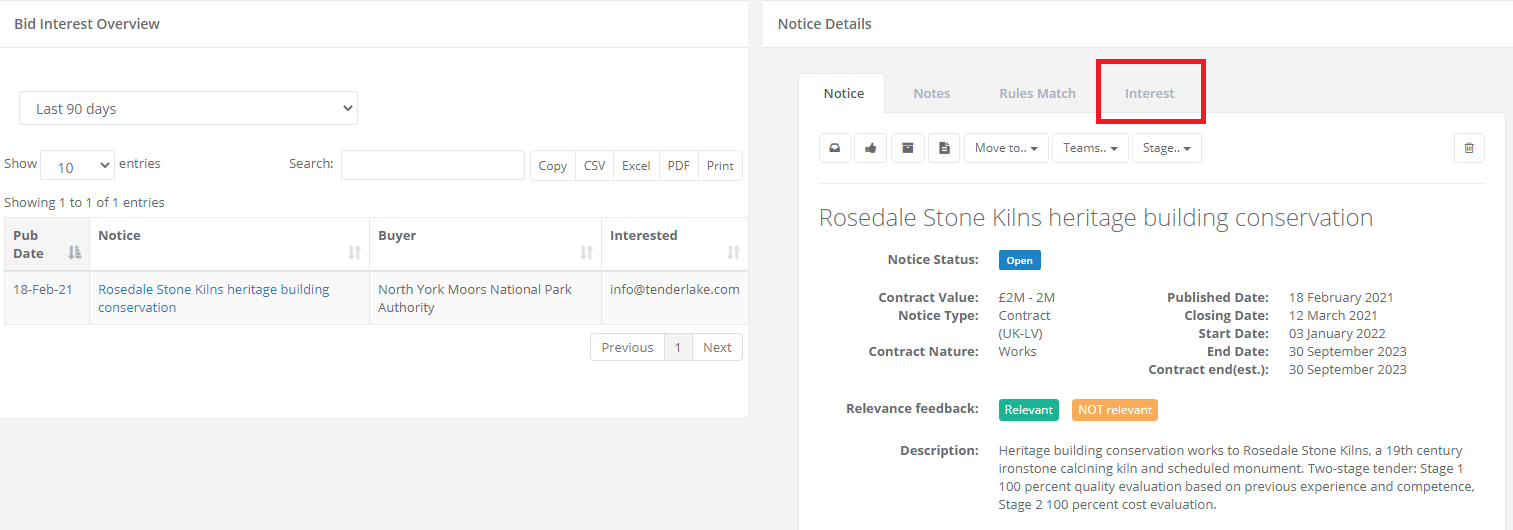
To see who has expressed interest in bidding for specific procurements, navigate to Distribution -> Bid Interest.
Here you can see the notices that have attracted interest.
You can use the search box to filter the notices and export a list of the listed notices in a variety of formats.
Click on the title to see the details of the procurement notice.
Click on the Interested-tab to see anyone who has expressed interest in this procurement.
Try creating a distribution setup with an email address that only contains yourself and a colleague.
This will allow you to play around with all the features before you introduce them to your colleagues.
Please get in touch if you would like a demonstration.