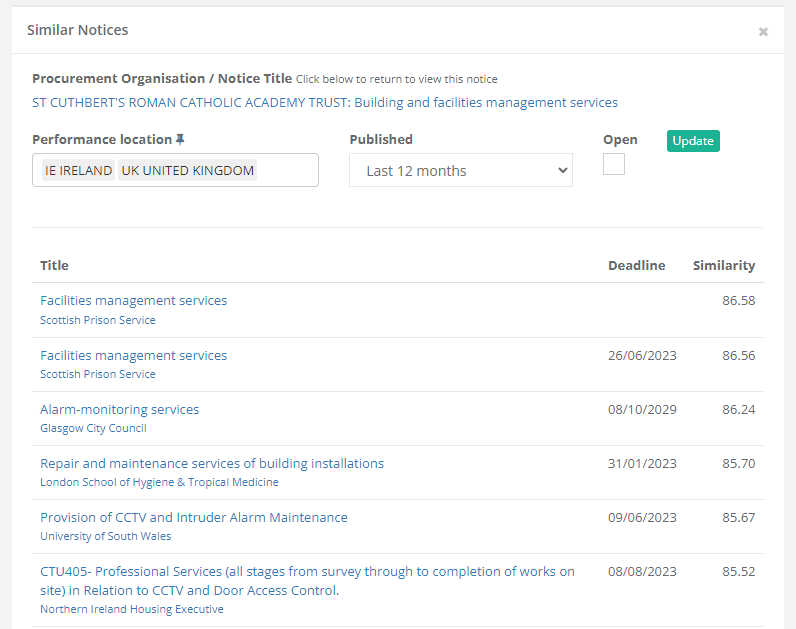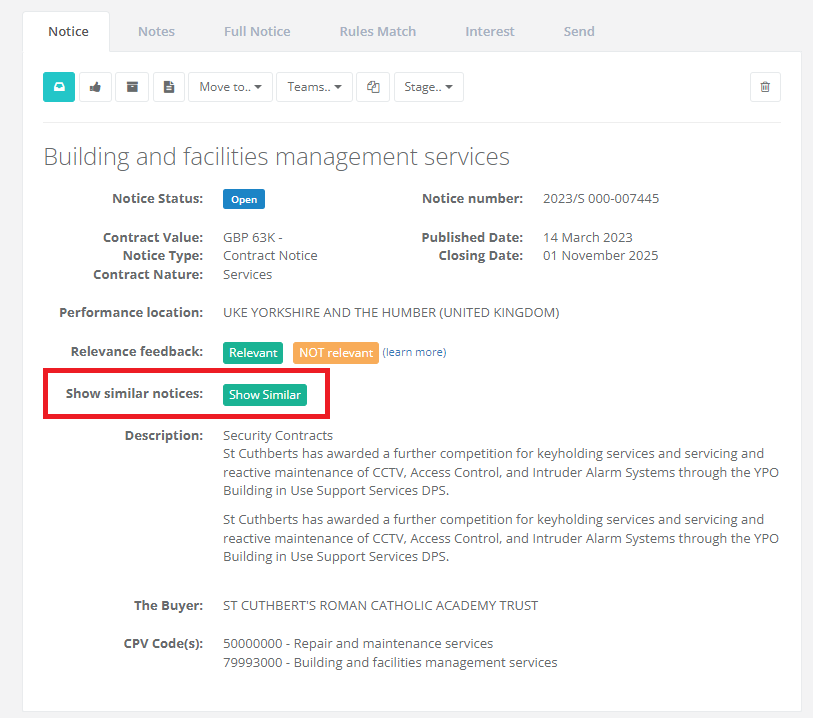
Show Similar Procurement Notices
With Tenderlake you can now see which notices are most similar to other notices.
With Tenderlake you can now see which notices are most similar to other notices.
With Tenderlake you can now see which notices are most similar to other notices.
This is an extremely powerful feature, because the similarity matching is done on the meaning of the notices, not any keywords or CPV codes.
The video at the end of this article shows you how it works.
In traditional searches, that use keywords or CPV codes we are relying on the buyer to describe their procurement using words and phrases we have expected them to use or to classify the procurement using the CPV codes we think will be relevant for the procurement.
But buyers often don’t use the words and phrases we expect them to use.
In fact, for many products and industries, the buyers will often use slightly unexpected language to describe a procurement and classify the procurement in a manner we had not expected.
This can easily lead to missed opportunities.
Tenderlake has until now mitigated this challenge, by automatically training an individual predictive model based on user’s relevance feedback.
This model creates a list of recommended additional notices, that are likely to be relevant for the user. They are listed under Notices/Recommendations.
This safety net works well, when a user gives frequent feedback, but it does take some rounds of feedback and predictions to get it right.
The new similarity search (Show Similar) is a major step further.
Tenderlake similarity search does not require any training and identifies the most similar tenders, even when they do not share any words, phrases or CPV codes.
This is because the similarity search compares the MEANING of a procurement notice to the meaning of all other notices.
Because no training is involved, you simply identify one great procurement notice (open or closed) and use that to identify similar opportunities.
You can use any notice, including all those you in the past has marked as Relevant.
View all notices you have given feedback by visiting Notices/Feedback.
Simply select one of the notices you marked as relevant and click “Show Similar” to see the most similar opportunities.
The Show-Similar feature is likely to be valuable for everyone, but perhaps more so for users that need to find the proverbial needle in the haystack.
If you sell a specialised product or service, you may find yourself spending considerable time trying to come up with relevant search phrases.
With the Show-Similar function, you only need to find one good example and Tenderlake will guide you to the rest.
Similarity Search is also works across borders and languages.
If you have one relevant notice, you can use Show-Similar to immediately identify the most similar opportunities in any country.
Please get in touch if you have any questions or feedback in relation to Similarity Search.
Get in touch if you have any questions regarding Tenderlake Similarity Search or any other Tenderlake features.