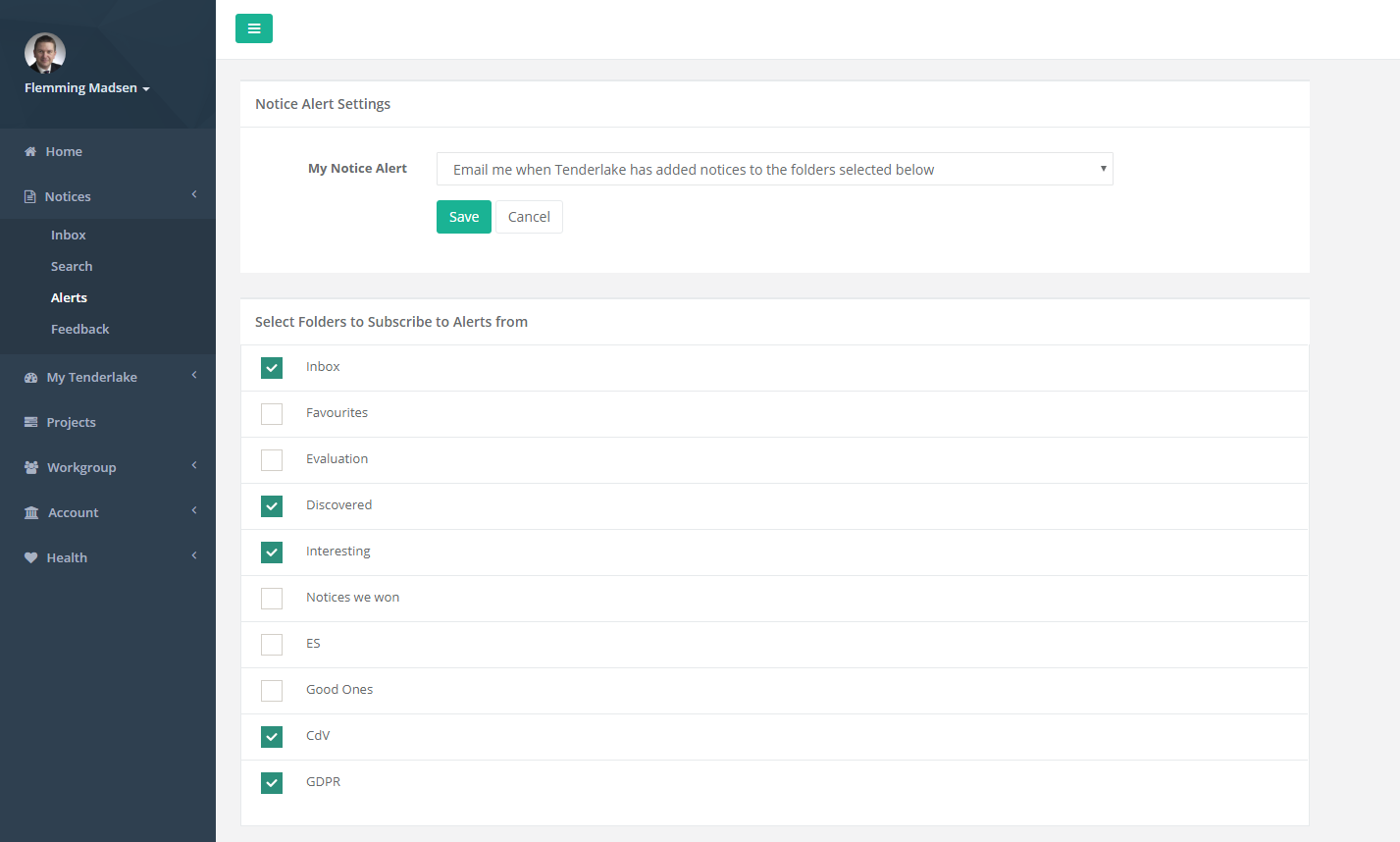
You can now subscribe to alerts on new notices arriving in any of your folders. This makes it possible for team members to tailor their daily alerts individually, just to their needs.
A team member who has a market focus not shared by his or her colleagues can simply create a separate folder and a Notice Rule that delivers matching notices into said folder.
Finally take out a subscription to alerts from this folder by selecting it on the Alerts page (see below).
Now, any new notices in this folder will be included in the daily alert to this team member.
A few things to keep in mind:
1/ Alerts are only triggered when Tenderlake has delivered one or more notices into the folder. Not if a notice is added to the folder using a manual action by you or a colleague.
2/ Discovered notices, that are notices discovered by Tenderlake based on your relevance feedback and delivered into the Discovered folder, is the result of all feedback received from team members with access to the Notices section.
If you and your colleagues have individual market focuses, you might want to consider if a notice could be relevant for one of your colleagues before you market it “not relevant”, as this might lead to discovering fewer notices that actually are relevant for your colleagues.
Remember, you can always review the notices that have been given relevance feedback under Notices/Feedback.